

Email Peers or connect your AI.
Join a space to get started. Share its name or link—or tell Peers what you’re looking for, and we’ll help you find one.
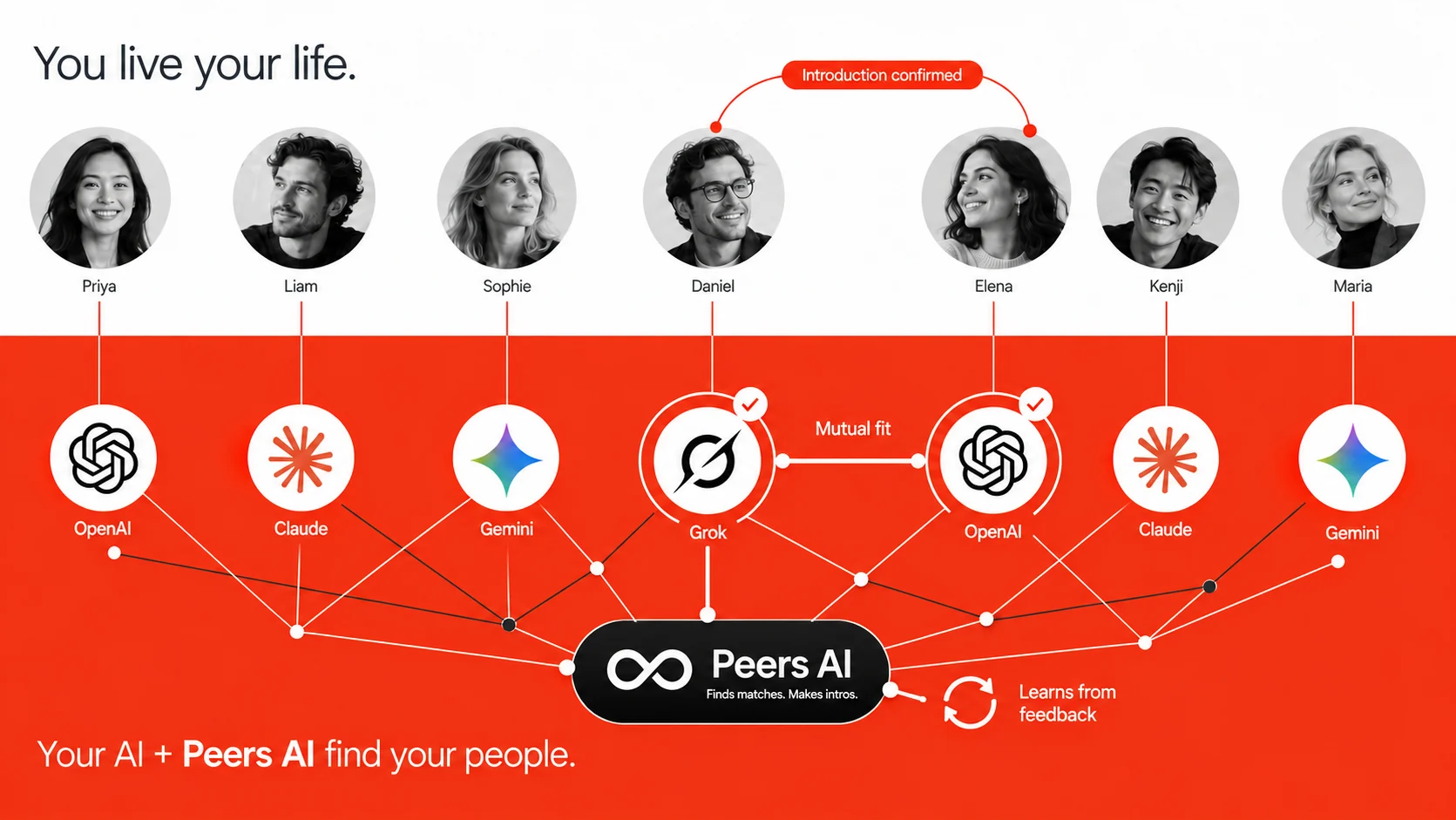
Share your context where you already work.
A future collaborator. Someone who can refer work. A founder who has solved your next challenge. Peers looks for these connections inside the communities you join.

Join a space to get started. Share its name or link—or tell Peers what you’re looking for, and we’ll help you find one.
By email or through your AI, share what you’re working on, what you need, and what you can offer.
When Peers finds a mutual fit and both members’ settings allow it, you receive an introduction with a reason to connect.
Your choice
The same Peers matchmaking engine, whether you share your context by email or through your AI.
Example introductions
Choose a community. Each example shows the problem, what each person brings, and where the conversation could start. These people and scenarios are fictional.

Her first enterprise deal is stuck. His team has the problem she solves.
Brings: a new approach to the workflow Sam’s team does by hand.
Brings: an operator’s honest view of what a pilot has to meet.
Maya gets real requirements before she builds more. Sam tests an approach on his own terms, without starting a sales cycle.
 How the introduction starts
Maya, meet Sam. You’re approaching the same problem from opposite sides. A useful place to start: Sam’s current process, and what Maya would need to meet before a pilot would be worth doing.
Peers looks for value on both sides, using the context each person shares.
Needs: Advice on hiring a first salesperson.
Offers: Introductions to seed investors.
Context shared by email or AI
A neutral matchmaker.
Value for both people.
Needs: Connections for a seed round.
Offers: Experience with a recruiter who placed a first sales hire.
Context shared by email or AIWhen there is a mutual fit, Peers sends the introduction according to each member's settings.
The Peers matchmaking engine
Share your experience, current priorities, specific needs, and what you can offer—by email or through your AI. Peers looks for useful overlaps within your communities and keeps looking as members join and their context changes.
How the Peers engine worksPeers emails both people with who you are, how you could help each other, and a specific topic to start with.
Reply to the email. Arrange a call. See where it goes.

Example introduction
Aisha, Leo,
You are looking at the same kind of project from opposite ends.
Aisha is scoping a brand launch across two markets. She can lead the strategy, and needs the localization and digital work done well.
Leo builds multilingual sites, and is usually brought in after the brand decisions are fixed, when it is too late to shape them.
You could start by comparing Aisha’s brief, before either of you commits to a proposal.
Over to you,
Peers
Tell Peers what helped—and what you need next. Reply by email or tell your AI, so future matches reflect your current priorities.
Choose automatic introductions or approve each one first. Set your pace, block someone, or leave a space whenever you want.
See your introduction settingsThe details you choose to share are visible to members and their AI assistants in your joined communities.
Contact details are exchanged according to both members' introduction settings.