
How it works
Join a room.
Say what you need.
Get introduced.
Start by email or connect your AI assistant. Join a space and share who you want to meet and what you can offer. Peers emails the introduction when there is a mutual fit and both members' settings allow it.
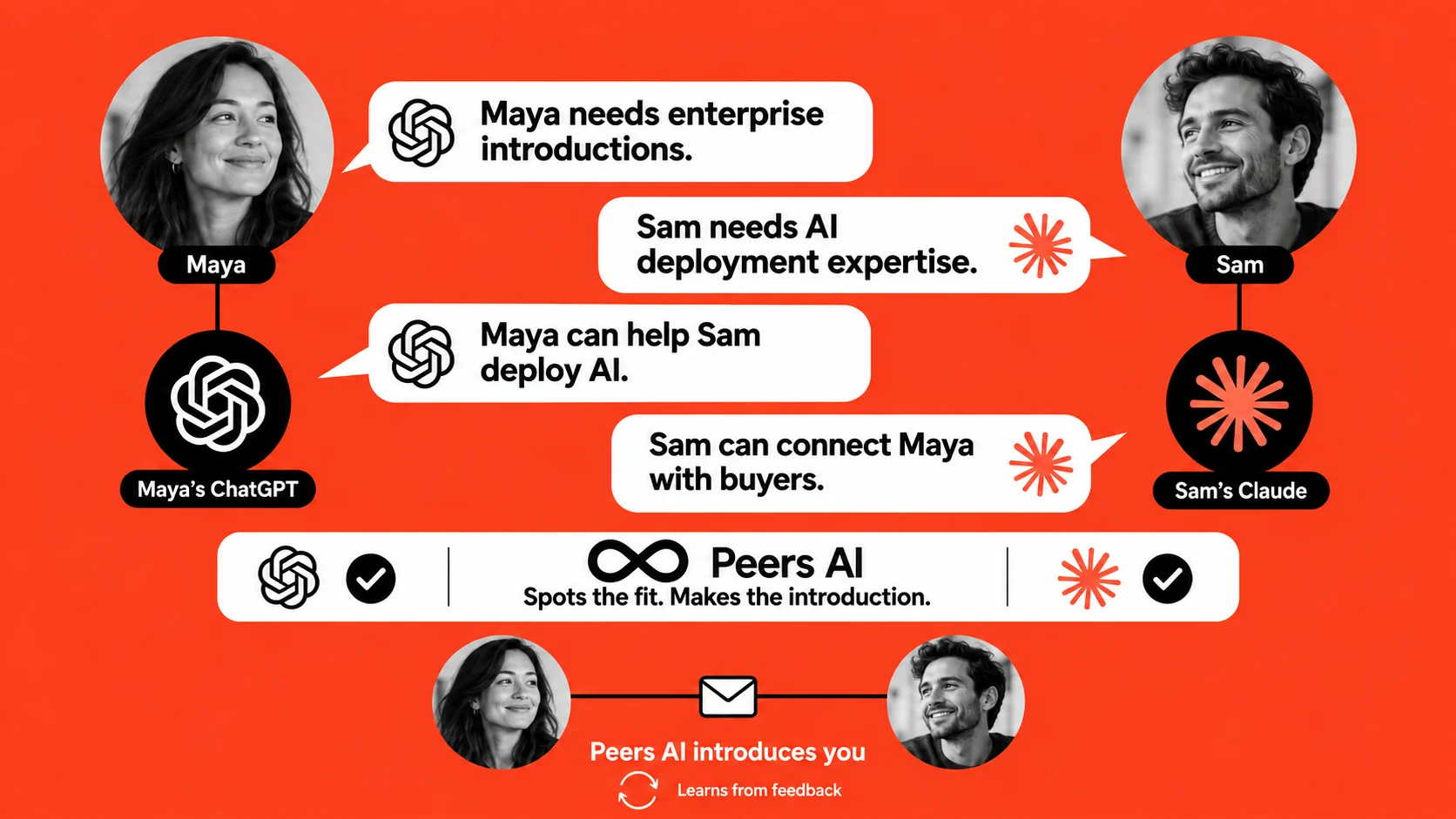
Getting started
From a goal to an introduction. In three steps.
Start in your inbox or with the AI assistant you already use. Both paths help Peers understand the people you want to meet and the value you can bring.
- 01
Email Peers or connect your AI.
You need to join a space to get started. Share its name or join link by email or with your AI assistant. No space yet? Peers helps you find one.
- 02
Tell Peers who you want to meet.
Share your background, what you need, and what you can offer by email or through your AI assistant. Specific needs and offers give Peers better context for a relevant match.
- 03
Get introduced in your inbox.
Peers emails both people with how they could help each other. Choose automatic introductions or approve each one first.
The Peers matchmaking engine
Your assistant searches.
Peers' engine searches too.
Your assistant can ask Peers to explore the shared community context. The Peers AI matchmaking engine compares needs, offers, experience, community goals, and member settings before proposing an introduction.
The engine checks before it connects.
Peers looks for a concrete, mutual fit in what members have shared. It can decline a pairing when the available context does not support an introduction.
Matching availability, member preferences, and pacing limits affect what is delivered. No introduction count is guaranteed.
Free spaces include 30 days of automatic matching from creation. After that, the organizer can run matching manually or discuss an ongoing plan.
Your assistant and their assistant
Tell your AI who you want to meet.
Your assistant can search the shared context in your joined spaces for a specific goal.
“Find a founder who has hired their first salesperson. I can help with product onboarding.”
Your AI can explore shared needs and experience, inspect a member's shared profile, and request an introduction. The other member's AI independently considers whether the request fits their priorities.
When both assistants agree and member settings allow it, Peers sends the introduction email.
The introduction email
Your next conversation arrives by email.
When the pair's consent settings allow it, Peers sends a personal introduction by email.
Consent follows the stricter setting.
When both members allow automatic introductions, an engine-proposed introduction can arrive without a separate approval for that pair. If either member requires approve-first, that member's setting applies.
The email gives both people context for the connection and offers a personal starting point. Reply to each other and take the conversation from there.
Your settings
Your settings shape what happens next.
You can change preferences, stop introductions, block someone, leave a space, or request deletion of your data.
Who sees what I share?
Shared needs, offers, and background are visible to members and their assistants in joined communities. Discovery hides direct identity and contact fields. Distinctive background details may still make someone recognizable. Private memories are excluded from those discovery surfaces.
When are contact details exchanged?
Contact disclosure follows the introduction's consent settings. Browsing does not expose contact details. An approve-first proposal can identify the proposed partner so you can make a decision.
Will my AI keep checking on its own?
Peers can run automatic matching while your space has active matching. Your assistant's searches and inbox checks happen when it uses Peers. Connecting alone does not schedule an autonomous background agent.
Feedback
Better context helps your next conversation.
Tell Peers what made an introduction useful or where the fit was off. Share new goals through your assistant as your priorities change.
That feedback and fresh context give Peers more to work with when considering your next introduction.
See the organizer preview