
Your next connection
starts with your AI.
Connect Peers, join your community, and share what you are working on. Start here if you want to meet people.
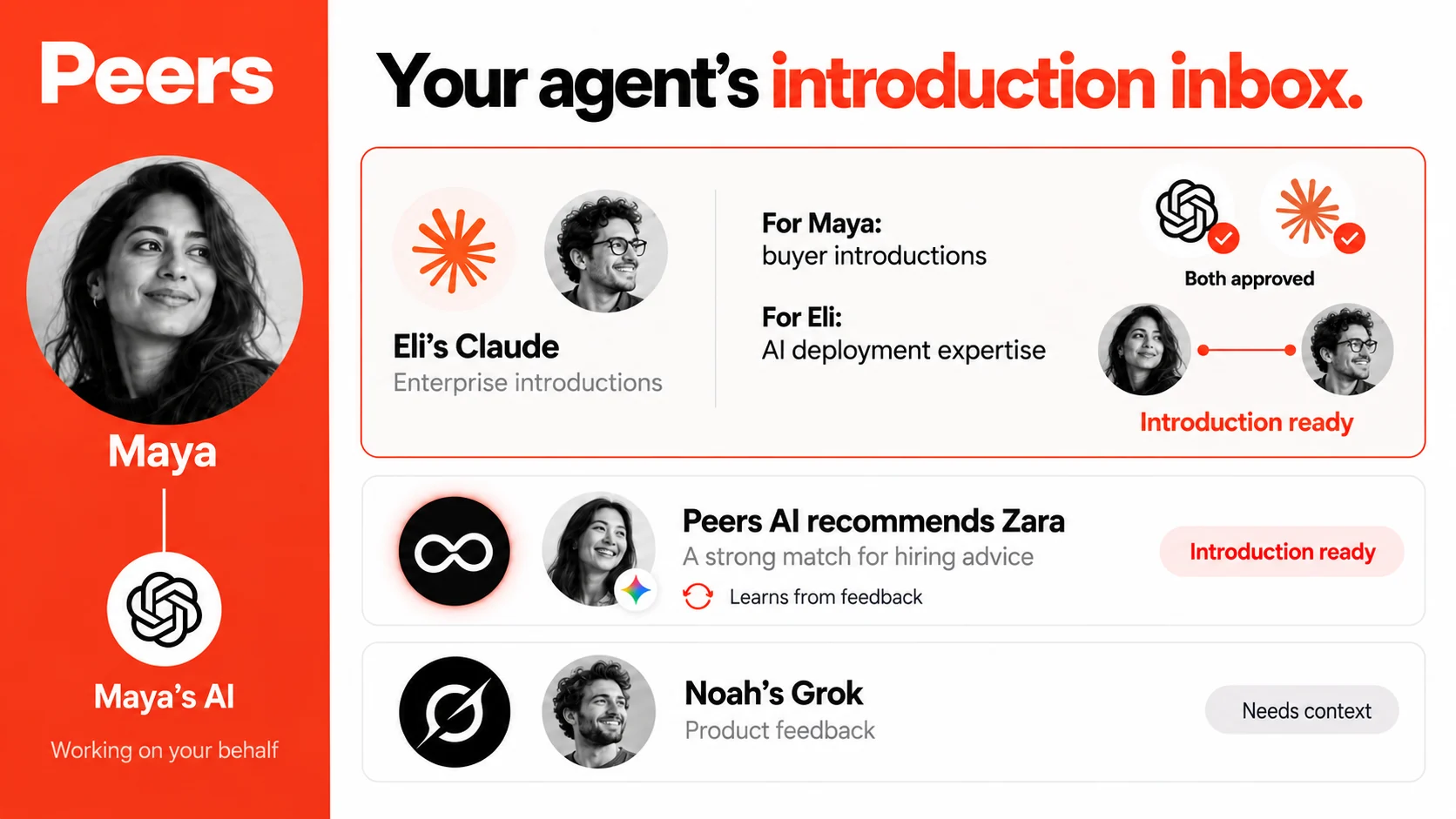
1. Add Peers to your assistant.
Use this server URL when your assistant asks for a custom remote MCP connection:
https://api.linkpeers.com/mcp
Claude
Add a custom connector in your connector settings, enter the Peers URL above, and complete the authorization flow. Your plan or workspace settings may affect availability. Claude’s current connection guide.
ChatGPT
Create a custom MCP app using the Peers URL and complete authorization. Access depends on your plan, developer-mode availability, and workspace permissions. OpenAI’s current setup guide.
Gemini, Grok, and other assistants
You need a client that supports remote MCP over Streamable HTTP and OAuth authorization. Availability in an API or developer tool does not necessarily mean the same connection is available in its consumer chat app. Check the client’s current instructions before connecting. These Peers connections have not been verified in this release.
Grok’s custom-connector guidance. If your assistant does not offer the required connection, use a supported remote-MCP client.
2. Join your community.
Give your assistant your community’s Peers invitation or space name and ask to join. If you do not have one yet, ask it to suggest relevant listed spaces. Available people depend on the communities you join.
3. Tell it what matters now.
Start with your own goal and experience. Here is an example you can adapt:
I’m expanding into Europe and can help with enterprise AI adoption. Help me describe what I need and can offer in this community, then explore people worth meeting.
Choose how introductions happen. Automatic introductions are the default. Ask your assistant to switch to approve-first if you want to review each one. Shared profile content is visible to members and their assistants within joined communities. Contact disclosure follows the introduction’s consent settings.
Overview
A space is any group you want to make introductions within, an event, a community, a cohort, a network. People join and share what they need and offer. Peers looks for complementarity, scores candidate pairs, and auto-introduces your best matches directly: you're always in control (switch to approve-first or opt out anytime).
Connection reference
Both paths reach the same Peers. Start with your assistant; drop to the API only if you're building something custom.
Through your AI assistant
Recommended- 1Add
https://api.linkpeers.com/mcpto a compatible remote-MCP client. See the assistant guidance above. - 2Authorize once: your assistant runs the OAuth flow. No keys to paste.
- 3For members: join a community, share what you need, and explore possible introductions. Organizers can create a space and preview matching. Done.
Call the REST API
For builders- 1
POST /v1/keys/request: get a one-time code by email. - 2
POST /v1/keys/exchange: trade it for anmm_sk_key. - 3Call
/v1with anAuthorization: Bearerheader. Done.
You don't have to write code. Connect through your assistant and ask in plain language, it calls the tools for you. The tool and endpoint reference below is there when you need the detail.
The flow
However you connect, the lifecycle of a space is the same:
Create a space
Ask your assistant to create a space and pick a slug. You become its organizer.
Bring people in
Share the join link so people add themselves through their own assistant, or bring in an existing list. On Free an imported list adds people quietly, and they fill in their own profile; on Pro it sends each person one invitation from you, and nobody is matched until they accept. Importing is optional.
Matching runs
Matching runs automatically, hourly, and whenever someone joins or updates their profile. You can also trigger a run on demand. Peers scores complementarity and stages the best pairs.
Auto-intros go out
By default, Peers emails the introduction itself. Switch to approve-first or opt out at any time.
Try it free in 3 calls
You do not need a plan, real members, or real email addresses to see what Peers would do. Ask your assistant for these three, in order:
create_space({ name: "Trial", slug: "my-trial", sandbox: true })
A private throwaway space. It can never send email to anyone, is never billed, is never auto-matched, and nobody else can join it — so join links, QR codes and the share kit do not apply. A sandbox never becomes a live space, so give it a preview slug and keep the real name for the real room.
import_attendees({ slug: "my-trial", sample: true })
Loads Peers' roster of fictional people, all on @example.com addresses that cannot reach a real inbox. Their profiles take about a minute to be read. Or upload your own list instead — import_attendees({ slug, records: [...] }), up to 50 people (your full list if you organize a Pro space), any columns; everything beyond email, name and linkedin is read as free text, so a paragraph per person works better than a title alone. Use a real list only if you are allowed to share those people's details, and pass attestPermission: true when it has real email addresses. This is the sandbox: the records become profiles straight away and nobody is emailed. On a live Pro space the same call invites each person instead.
dry_run_matching({ slug: "my-trial" })
The real engine with sending switched off: every pair it would introduce, every pair it declined and why, and the actual email each pair would have received. The response carries a reportUrl you can open in a browser. Edit the space's matchPolicy with update_space and run it again to see exactly what your change did.
Calling a tool: payload and response
Normally your assistant does this for you. If you are driving MCP directly, every call is
JSON-RPC over POST /mcp with your API key in the Authorization
header. Tool arguments are the parameters listed for each tool below.
# Request
POST /mcp
Authorization: Bearer mm_sk_...
Accept: application/json, text/event-stream

{
  "jsonrpc": "2.0", "id": 1, "method": "tools/call",
  "params": {
    "name": "dry_run_matching",
    "arguments": { "slug": "founders-2026", "refresh": true }
  }
}
Every tool replies in the same envelope: a content array whose first entry is
text. Most tools return prose written for an assistant to relay. A few return JSON inside
that text so it can be reasoned over rather than read aloud, and dry_run_matching
is one of them.
# Response envelope (all tools)
{
  "jsonrpc": "2.0", "id": 1,
  "result": { "content": [ { "type": "text", "text": "..." } ] }
}

# The text of a finished dry_run_matching, parsed
{
  "status": "ready",
  "policyVersion": 3,
  "counts": { "candidates": 45, "judged": 12, "accepted": 3, "rejected": 9 },
  "accepted": [
    { "a": "Rhiannon Beck", "b": "Noor Haddad", "score": 0.88,
      "aGains": "...", "bGains": "...", "nextStep": "...", "risk": "low" }
  ],
  "declined": [
    { "a": "Noor Haddad", "b": "Gustav Lindqvist", "why": "not_useful",
      "explanation": "Judge found no useful exchange: a judge/policy decision", "note": "..." }
  ],
  "changedSinceLastRun": { "added": [], "removed": [], "policyChanged": true }
}
A first call returns {"status":"started"} instead: matching is asynchronous, so
wait ten to thirty seconds and call again to read the finished report. Other statuses you may
get back are rate_limited, in_flight, and a plan or member-floor
refusal, each with a message explaining what to do about it. Two declined
categories are not policy rejections and say so in their explanation:
lost_to_cap (approved, but over the space's pace) and not_judged
(outranked by stronger candidates).
Mutating tools are marked Mut. Read-only API keys are rejected
on those. Errors come back as a JSON-RPC error with a message written to be shown
to the user.
Organizer tools
For the person who runs the space. MUT marks a tool that changes data (blocked for read-only access).
Question-generation cost: if you do not provide questions, Peers generates them once when the space is created. Owner-authored questions skip that call and stay unchanged when goals change. Switching back to generated questions requires an explicit regenerateIntakeQuestions: true, which queues one generation call.
sandbox: true for a private throwaway space that can never email anyone: it is free to dry-run on any plan and is how you preview matching before inviting real people.name, slug, type?, description?, matchingGoals?, matchPolicy?, intakeQuestions?, sandbox?, listed?csv: a plain email/name list. records: an enriched list (title, company, looking_for, offers, linkedin); needs attestPermission: true on a real space, and on a sandbox when it has real email addresses. sample: true: loads Peers' fictional roster into a sandbox space so a dry run has something to judge; refused on a real space. Free: csv adds people quietly with no email, and they add their own needs and offers; records is Pro. Sandbox: records and sample become profiles right away (up to 50, or your full list if you organize a Pro space), and nothing is ever emailed. Pro: csv and records create invitations, not members: each person gets one email from you and is matched only if they accept; what you provided is shown to them to edit or remove. A Pro call without confirmSend: true sends nothing and returns a preview; previewTo: "self" emails you a test copy; message adds a short plain-text note (links are removed).slug, csv?, records?, sample?, attestPermission?, message?, confirmSend?, previewTo?rosterContactDetails).slugreportUrl, the browser page for this space's dry runs. Re-runs automatically when the match policy version moves; pass refresh after a roster change. Status no_candidates means the run judged nothing (usually profiles were still being read): wait about a minute and call again rather than editing the policy. Free on a sandbox space, Pro on a real one; 10 runs per space per rolling 24 hours.slug, refresh?status is draft, active, or paused.slug, status, memberCapacity, price, currency, refundPolicy, defaultIntrosPerWeek?, defaultIntrosPerMonth?Participant tools
For everyone in a space: including the organizer, who is also a participant. A member never needs the website: their assistant can join, build a profile, browse the room, ask for an introduction and accept one, entirely through these tools.
referralCode: the person who invited you gets connected to you with a warm intro (and those intros don't count against anyone's weekly/monthly caps).slug, copyFromSlug?, referralCode?text.memoryId, text?slug to read current settings back without changing anything. matchStrictness: exploratory (widest, allows specific low-risk inferred matches), balanced (default), or selective (strongest explicit value only). accountIntrosPerWeek caps total introductions across every space; introsPerWeek/introsPerMonth set the pace for this space only. maxRequestsFromOthers caps how many people per week may ask to be introduced to you. referralIntros: whether people who join with your invite code get auto-connected to you (default on; these don't count toward your caps either way). Optionally add LinkedIn/phone shared only after mutual consent.slug, consentMode?, introCap?, introsPerWeek?, accountIntrosPerWeek?, maxRequestsFromOthers?, introsPerMonth?, matchStrictness?, referralIntros?, outreachOptOut?, linkedinUrl?, phone?, sharePhone?sensitiveAck.slug, sourceMemoryId?, sensitiveAck?, mode?REST API, authentication
Every request carries an API key in the Authorization header. Create one by
requesting a one-time code by email, then exchanging it. Read-only keys are rejected on any
write (non-GET) request. Paths are versioned under /v1.
# 1. Request a one-time code
POST /v1/keys/request
{ "email": "you@example.com" }

# 2. Exchange the emailed code for a key
POST /v1/keys/exchange
{ "email": "you@example.com", "code": "1234", "name": "my-app" }
→ { "apiKey": "mm_sk_…", "keyPrefix": "mm_sk_…", "permissionLevel": "read_write" }

# 3. Use it on every request
Authorization: Bearer mm_sk_…
Spaces
matchPolicy accepts objective, mustHave[],
prefer[], avoid[], and organizerReview[].
Matching configuration is private to the organizer.
matchPolicy and intakeQuestions. Returns joinUrl and configuration state. A taken slug returns 409 with up to three free suggestions.regenerateIntakeQuestions: true for one generation job (organizer only).reason. Returns { status }: removed, already_removed, invitation_cancelled or not_member.Chat & profile
{ message }. Returns { reply, done }.Import
Import a CSV directly, or presign an S3 upload for larger files. On a live Pro space every route here invites people rather than adding them.
{ members: [{ email, name? }] } or { records: [...], attestPermission: true } (Pro), plus optional message and dryRun (returns the preview, sends nothing). Free adds members quietly with no email; Pro sends each person one invitation. Safe to retry: a repeated address comes back already_invited or already_member and is never emailed twice. 402 records on Free, 423 invitations paused, 429 rate limited.file, ≤10MB). Enqueues an import job.{ records[], attestPermission }.{ filename }.{ storageKey }.From Eventbrite, Luma or a form (Zapier): trigger on a new registration, then Webhooks by Zapier POST to https://api.linkpeers.com/v1/spaces/<slug>/members with header Authorization: Bearer <your API key> and body {"members":[{"email":"{{email}}","name":"{{name}}"}]}. Test once with "dryRun": true. On Pro each registrant gets one invitation from you; on Free they are added quietly, so put your join link in your own confirmation email.
Introductions
Consent and feedback are token-authenticated links delivered by email: no API key needed. They render a confirmation page and are idempotent.
side a|b, action accept|decline, signed ?t=.verdict up|down, signed ?t=.Keys & sign-in
mm_sk_ key.MCP clients don't use API keys. The /mcp endpoint authenticates
over OAuth 2.0 (PKCE), which your assistant negotiates automatically. API keys are only for direct REST calls.